
TL;DR
-
Vector databases store embedding vectors with metadata and provide fast approximate nearest neighbor (ANN) search for similarity queries.
-
They solve the scale problem - brute-force cosine similarity over millions of vectors is too slow; ANN indexes (HNSW, IVF) reduce search to milliseconds.
-
Core capabilities: vector storage, ANN indexing, metadata filtering, hybrid search, and horizontal scaling.
-
Choose based on scale, ops model, and features - pgvector for prototypes, dedicated DBs (Pinecone, Qdrant, Weaviate) for production at millions of vectors.
-
Plan for re-indexing - changing embedding models or dimensions requires rebuilding the vector index.
Why This Matters
Every RAG pipeline needs somewhere to store and search embedding vectors. You could store vectors in PostgreSQL, Redis, or a flat file - and many teams start there. As corpus size grows into the hundreds of thousands or millions of vectors, brute-force or unindexed similarity search often becomes a latency bottleneck, and operational concerns (backup, replication, monitoring) push teams toward purpose-built systems.
Vector databases are the storage and retrieval engine underneath semantic search, RAG, recommendation systems, and anomaly detection. Choosing the wrong one means either over-engineering a prototype or hitting scaling walls in production. Understanding how they work - not just which vendor to pick - helps you make the right call and debug retrieval failures.
The Problem Vector Databases Solve
Brute-force search doesn't scale. Finding the 10 most similar vectors in a collection of 1 million 1536-dimensional vectors requires 1 million cosine similarity computations per query. At 10 queries per second, that's 10 million dot products per second - workable on a GPU, expensive and slow on CPU.
General-purpose databases differ in vector-native features. PostgreSQL with pgvector supports HNSW and IVFFlat ANN indexes and is a strong fit when vectors already live beside relational data. Dedicated vector databases generally provide richer operational capabilities — distributed indexing, native hybrid retrieval, payload-aware filtering at scale, and vector-focused operational tooling. Redis can cache vectors but is not typically used as a primary billion-scale search engine.
Metadata + vector queries are complex. Production RAG requires filtering by tenant, date, document type, and access level before or during similarity search. Combining structured filters with ANN search efficiently requires specialized indexing - inverted filters, bitmap indexes, or pre-filtered HNSW.
Vector databases solve all three: fast ANN search at scale, vector-native operations, and efficient metadata-filtered retrieval.
What Is a Vector Database?
A vector database is a storage system optimized for embedding vectors - high-dimensional numerical arrays that represent the semantic meaning of text, images, or other data. It provides:
-
Vector storage - Persist vectors with associated payload (text, metadata).
-
ANN indexing - Build and maintain indexes for sub-linear search time.
-
Similarity search - Find the k nearest vectors to a query vector.
-
Metadata filtering - Restrict search to vectors matching attribute conditions.
-
CRUD operations - Insert, update, delete vectors and metadata.
# Vector database operations (conceptual API)
db.upsert(
    id="chunk_001",
    vector=[0.12, -0.34, ...],  # 1536 dimensions
    metadata={"tenant": "acme", "doc_type": "policy", "date": "2026-01-15"},
    text="Refund requests must be submitted within 30 days.",
)

results = db.query(
    vector=query_embedding,
    top_k=10,
    filter={"tenant": "acme", "doc_type": "policy"},
)
Unlike relational databases where you query by exact match or range, vector databases query by similarity - how close vectors are in high-dimensional space.
How Vector Databases Work
Approximate Nearest Neighbor (ANN) Algorithms
Exact nearest neighbor search is O(n) - scan every vector. ANN algorithms trade perfect accuracy for speed:
| Algorithm | How It Works | Build Time | Query Time | Recall |
|---|---|---|---|---|
| HNSW | Hierarchical navigable small world graphs | Medium | Often ~1–5ms query time at moderate scale (illustrative) | 95-99% |
| IVF | Inverted file with k-means clustering | Fast | Often ~5–20ms query time (illustrative) | 90-97% |
| Flat/Brute | Exact comparison | None | Slow (O(n)) | 100% |
| DiskANN | Graph-based, disk-resident | Slow | Medium | 95-98% |
HNSW (Hierarchical Navigable Small World) is the most common index type. It builds a multi-layer graph where each vector connects to its nearest neighbors. Search starts at the top layer (sparse, long jumps) and descends to lower layers (dense, fine-grained), finding approximate nearest neighbors in logarithmic time.
RAG couples a dense vector index of external knowledge with a sequence-to-sequence generator. At query time, the retriever selects relevant passages and the generator conditions its answer on that evidence.
Distance Metrics
| Metric | Formula | When to Use |
|---|---|---|
| Cosine similarity | dot(A,B) / (‖A‖·‖B‖) | Most embedding models (normalized vectors) |
| Dot product | dot(A, B) | Normalized vectors (ranking equivalent to cosine); MIPS indexes |
| Euclidean (L2) | ‖A - B‖ | Image embeddings, some scientific data |
Most text embedding models produce normalized vectors where cosine similarity and dot product give equivalent rankings. Match the metric to what your embedding model was trained with.
Metadata Filtering
Production vector databases apply filters during ANN search, not after:
# Pre-filtered search: only search vectors matching the filter
results = db.query(
    vector=query_vec,
    top_k=10,
    filter={"tenant_id": "acme", "created_at": {"$gte": "2026-01-01"}},
)
Implementation approaches:
-
Pre-filtering: Apply metadata filter first, then ANN search on the subset. Fast when filters are selective.
-
Post-filtering: ANN search first, then filter results. Risk of returning fewer than k results.
-
Native filtered HNSW: Integrate filter bitmaps into the graph traversal. Best of both worlds (Weaviate, Qdrant).
Architecture
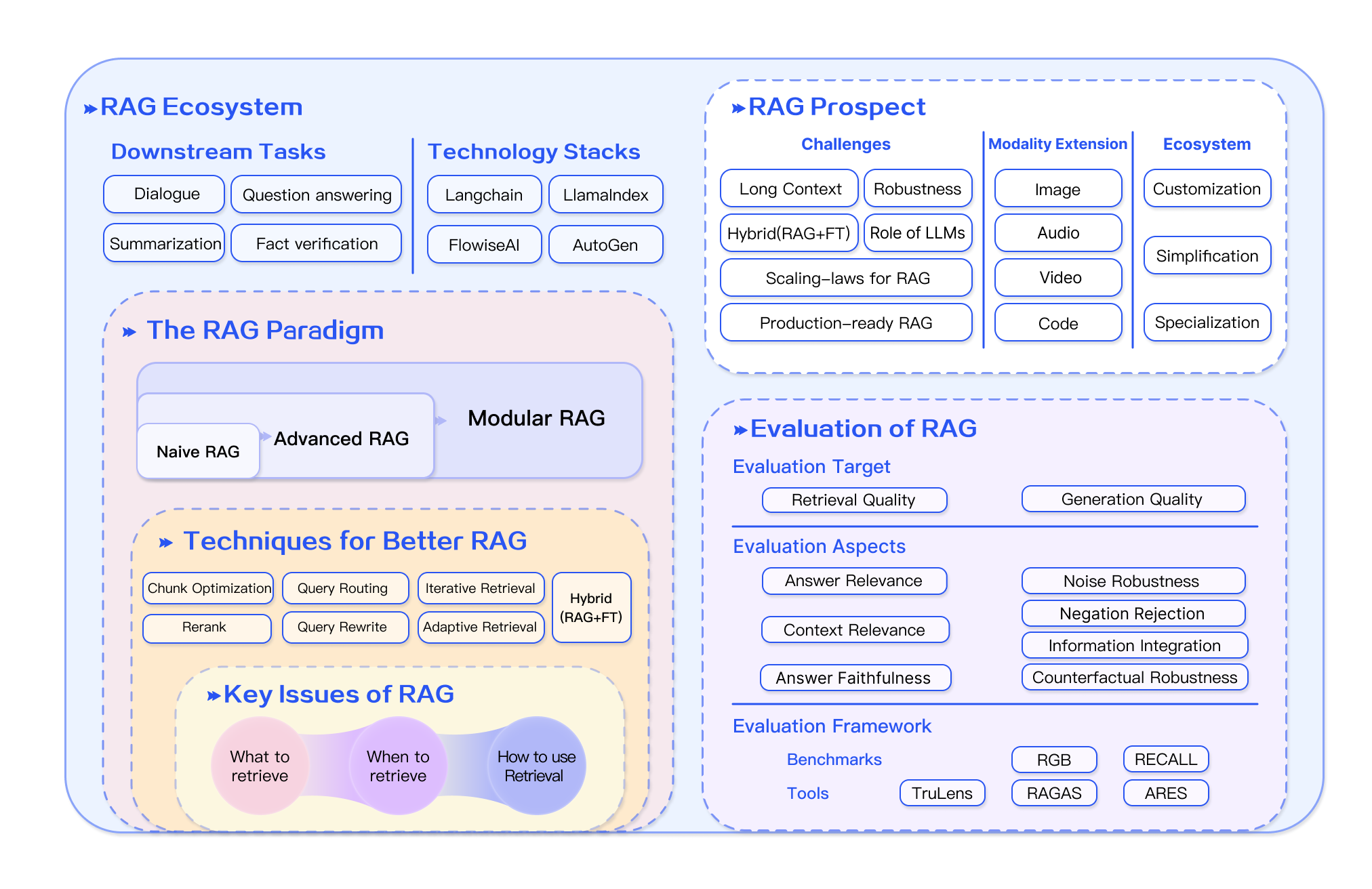
Production retrieval pipelines typically distinguish indexing from query execution: offline indexing (load, chunk, embed, store) and online querying (embed query, retrieve, rerank, generate).
Source: Survey on RAG
A vector database cluster typically includes:
| Component | Purpose |
|---|---|
| Query node | Receives search requests, coordinates retrieval |
| Index node | Maintains ANN graph structures |
| Storage layer | Persists vectors, metadata, and original text |
| Ingestion pipeline | Batch or streaming vector upserts |
Managed services (Pinecone, Weaviate Cloud) handle cluster operations. Self-hosted options (Qdrant, Milvus, pgvector) require you to manage replication, backups, and scaling.
Step-by-Step Flow
Step 1: Choose your vector database based on scale, ops preference, and required features (see Design Decisions).
Step 2: Define your schema. Vector dimensions (must match embedding model), metadata fields for filtering, and payload fields (text, source URL).
Step 3: Create a collection/index with the right distance metric and ANN parameters (HNSW: M=16, efConstruction=200 are common defaults).
Step 4: Batch upsert vectors during indexing. Include metadata and source text in the payload.
Step 5: Query at runtime. Embed the query, send vector + filters to the database, receive top-k results with scores and payloads.
Step 6: Monitor and tune. Track query latency, recall@k, index size, and upsert throughput. Tune HNSW efSearch parameter for recall vs latency tradeoff.
Real Production Example
A company indexes 2 million support ticket chunks across 500 tenants:
from qdrant_client import QdrantClient
from qdrant_client.models import (
    VectorParams, Distance, PointStruct,
    Filter, FieldCondition, MatchValue, Range,
)

client = QdrantClient(url="http://qdrant.internal:6333")

# Create collection
client.create_collection(
    collection_name="support_tickets",
    vectors_config=VectorParams(size=1536, distance=Distance.COSINE),
    hnsw_config={"m": 16, "ef_construct": 200},
)

# Batch upsert during indexing
def index_tickets(tickets: list[dict], embed_fn):
    points = []
    for ticket in tickets:
        vector = embed_fn(ticket["text"])
        points.append(PointStruct(
            id=ticket["id"],
            vector=vector,
            payload={
                "text": ticket["text"],
                "tenant_id": ticket["tenant_id"],
                "category": ticket["category"],
                "created_at": ticket["created_at"],
                "status": ticket["status"],
            },
        ))
    client.upsert(collection_name="support_tickets", points=points, wait=True)

# Query with tenant isolation and date filter
def search_tickets(query: str, tenant_id: str, embed_fn, top_k: int = 10):
    query_vector = embed_fn(query)
    results = client.search(
        collection_name="support_tickets",
        query_vector=query_vector,
        query_filter=Filter(must=[
            FieldCondition(key="tenant_id", match=MatchValue(value=tenant_id)),
            FieldCondition(key="status", match=MatchValue(value="resolved")),
        ]),
        limit=top_k,
        with_payload=True,
        search_params={"hnsw_ef": 128},  # higher = better recall, slower
    )
    return [
        {"text": r.payload["text"], "score": r.score, "category": r.payload["category"]}
        for r in results
    ]
The tenant_id filter enforces multi-tenant isolation at the database level. hnsw_ef=128 balances recall and latency - increase for better recall, decrease for faster queries.
Design Decisions
| Decision | Option A | Option B | When to choose |
|---|---|---|---|
| Database | pgvector (PostgreSQL) | Dedicated (Qdrant, Pinecone) | pgvector when vectors live beside Postgres data; dedicated when hybrid search, sharding, or vector-native ops dominate |
| Hosting | Managed (Pinecone, Weaviate Cloud) | Self-hosted (Qdrant, Milvus) | Managed for speed to market; self-hosted for data residency or cost at scale |
| Index type | HNSW | IVF | HNSW for most workloads; IVF for very large corpora with memory constraints |
| Distance metric | Cosine | Dot product | Match your embedding model's training metric |
| Vector dimensions | 384 (small) | 1536 (OpenAI) | Smaller for speed/cost; larger for quality. Cannot mix dimensions in one index. |
| Quantization | None (full precision) | Scalar/product quantization | Quantization at 10M+ vectors to reduce memory 4–32x with minimal recall loss |
Common Mistakes
-
Wrong vector dimensions. Indexing 768-dim vectors into a 1536-dim collection fails silently or produces garbage results. Match dimensions to your embedding model exactly.
-
No metadata schema planning. Adding filter fields after indexing 1M vectors requires re-upserting everything. Plan metadata fields upfront.
-
Ignoring re-indexing cost. Changing embedding models means re-embedding and re-upserting the entire corpus. Budget time and compute for this.
-
Post-filtering instead of pre-filtering. Filtering after ANN search returns fewer than k results when filters are selective. Use databases that support native filtered search.
-
Not tuning ANN parameters. Default HNSW parameters may give 90% recall when you need 98%. Measure recall@k and increase
efSearchif needed. -
Storing only vectors, not payload. Returning vector IDs without the source text means a second lookup per result. Store text and metadata in the payload.
-
Single collection for everything. Mixing document types (policies, tickets, code) in one collection makes filtering harder. Separate collections by content type when metadata differs significantly.
Where It Breaks Down
Very small corpora (under 10K vectors) - brute-force search in NumPy or pgvector without an ANN index is often simpler and gives exact results. A dedicated vector DB may add unnecessary complexity at that scale.
Frequent dimension changes - switching embedding models changes vector dimensions, requiring a new collection and full re-index. Plan for dual-index migration periods.
Strong consistency requirements - most vector databases are eventually consistent. A document upserted seconds ago may not appear in search results immediately. For real-time requirements, verify consistency guarantees.
Complex relational queries - vector databases aren't replacements for SQL. Joins, aggregations, and transactions belong in PostgreSQL. Use vector DBs for similarity search, relational DBs for everything else.
Cost at extreme scale - billion-vector indexes require significant memory (even with quantization). Budget $500–5000/month for managed services at 100M+ vectors.
Running in Production
Best Practice
✅ Best Practices - Instrument every stage, version embedding models, enforce access control at retrieval time, and evaluate on a fixed golden set before shipping changes.
| Dimension | Consideration |
|---|---|
| Scaling | HNSW indexes are memory-bound (~4GB per 1M vectors at 1536 dims). Scale horizontally with sharding. Quantization reduces memory 4–32x. Plan for 2x headroom. |
| Latency | Illustrative: HNSW query often ~1–10ms at ~1M vectors; filtered search adds overhead; total with embedding often ~50–100ms. Measure on your corpus, hardware, and database — published latency figures are not guarantees. |
| Cost | Managed: $70–700/month for 1–10M vectors. Self-hosted: EC2/compute costs + ops time. pgvector: free (PostgreSQL costs only). |
| Monitoring | Track query latency (p50, p99), recall@k, index size, upsert rate, and error rate. Alert on latency spikes or recall drops. |
| Evaluation | Benchmark recall@k against brute-force on a sample. Benchmark on your own corpus and query distribution — vendor benchmarks are useful for comparison but should not replace evaluation on production-like workloads. |
| Security | Enforce tenant isolation via metadata filters. Enable encryption at rest and in transit. Audit query logs for access patterns. API key rotation. |
Important
Always store source text and metadata in the vector database payload. Returning only vector IDs forces a second database lookup on every query.
Ecosystem
-
Pinecone: Fully managed, serverless option. Sparse-dense vectors, namespaces, metadata filtering. Pinecone Nexus (GA Aug 2026) adds a customer-cloud knowledge engine agents query via KnowQL on top of the database.
-
Weaviate: Open-source with managed cloud. Native hybrid search, GraphQL API, multi-tenancy.
-
Qdrant: Open-source, Rust-based. Excellent filtered search, quantization, self-hosting.
-
Milvus: Open-source, designed for billion-scale. GPU acceleration, multiple index types.
-
Chroma: Embedded vector DB for prototyping. Persistent storage, simple API.
-
pgvector: PostgreSQL extension. Best for teams already on Postgres with moderate vector workloads.
Related Technologies
-
Companies: OpenAI · Hugging Face — model/embedding ecosystems that feed vector indexes.
-
Models: GPT-5 · Llama 4 · Gemini 3.1 Pro — generators commonly used after vector retrieval.
-
Vector stores: Qdrant · Weaviate · Pinecone — seed vector databases on this platform.
-
Vector Search: The ANN algorithms vector databases implement.
-
Embeddings: What gets stored in vector databases.
-
Embedding Models: Choosing the model that produces your vectors.
-
Hybrid Search: Combining vector and keyword search.
-
Metadata Filtering: Pre-filtering vectors by attributes.
-
RAG: The primary application pattern for vector databases.
Learning Path
Prerequisites: Embeddings · Vector Search
Next topics: Hybrid Search · Metadata Filtering · RAG
Estimated time: 45 min · Difficulty: Intermediate
FAQs
Do I need a vector database for RAG?
For prototypes with under 10K documents, pgvector or even in-memory FAISS works. For production at scale, a dedicated vector database provides better performance, filtering, and operations.
How many vectors can a vector database handle?
Millions to billions depending on the system. Pinecone and Milvus handle billions. Qdrant and Weaviate handle hundreds of millions. pgvector with HNSW/IVFFlat scales to large corpora on capable Postgres hardware — exact limits depend on dimensionality, filters, and SLA.
What happens when I change embedding models?
You must re-embed all documents and re-upsert into a new collection (dimensions may differ). Plan for a migration window with dual-index operation.
pgvector vs dedicated vector database?
pgvector: simpler ops when you already run PostgreSQL, SQL joins, HNSW/IVFFlat ANN support — often a good fit up to low millions of vectors depending on workload. Dedicated engines: richer hybrid search, horizontal sharding, and vector-native ops at larger scale. Many teams start with pgvector and migrate when evals or ops requirements outgrow it.
How much memory does a vector index need?
Approximately num_vectors × dimensions × 4 bytes for full-precision float32. 1M vectors at 1536 dims ≈ 6GB. HNSW adds ~20-50% overhead. Quantization reduces this 4–32x.
What is HNSW efSearch?
A query-time parameter controlling how many candidates HNSW explores. Higher efSearch = better recall, slower queries. Start at 100–128, increase if recall@k is too low.
Can I run SQL queries on a vector database?
Some (Weaviate with GraphQL, pgvector with SQL) support structured queries alongside vector search. Most require a separate relational database for complex joins.
How do I back up a vector database?
Managed services handle backups automatically. Self-hosted: snapshot the storage layer (S3, disk). Vectors can be regenerated from source documents if you store the embedding model version.
Should I use one collection or many?
Separate collections when document types have different metadata schemas or embedding models. Single collection with metadata filters when the schema is uniform.
How do I monitor vector database health?
Track: query latency (p50, p99), upsert throughput, index size growth, recall@k on a sample set, error rates, and memory/CPU utilization.
What is vector quantization?
Compressing vectors from float32 to int8 or binary representations. Reduces memory 4–32x with 1–3% recall loss. Essential at 10M+ vectors.
Can vector databases do hybrid search?
Yes - Weaviate, Pinecone, Qdrant, and Elasticsearch support combining vector and BM25 search. See Hybrid Search.
References
- Retrieval-Augmented Generation for Knowledge-Intensive NLP Tasks (Lewis et al., 2020)
- LangChain Retrieval Documentation
- LlamaIndex RAG Documentation
- Pinecone RAG Guide
Further Reading
- OpenAI Embeddings Guide
- Cohere Rerank Documentation
- RAGAS Evaluation Framework
- Meta AI RAG Paper Repository
Summary
- Vector databases provide fast ANN search over embedding vectors with metadata filtering.
- HNSW is the default index type - tune efSearch for your recall/latency requirements.
- Choose pgvector when Postgres is already in your stack; dedicated DBs when hybrid search, scale, or vector-native ops dominate.
- Plan metadata schema upfront and store source text in the payload.
- Changing embedding models requires full re-indexing - budget for migration.
- Monitor recall@k and query latency as your corpus grows.