
TL;DR
-
Metadata filtering restricts vector search to documents matching attribute conditions — tenant ID, date range, document type, access level — before similarity scoring.
-
It solves precision and security problems — without filters, users retrieve documents from other tenants, outdated versions, or unauthorized content.
-
Pre-filtering is faster and safer than post-filtering — apply filters in the database query, not after retrieval.
-
Plan your metadata schema before indexing — adding filter fields later requires re-upserting all vectors.
-
Combine with hybrid search and re-ranking — filters narrow the candidate pool; retrieval and reranking handle relevance within it.
Why This Matters
A RAG system without metadata filtering searches the entire corpus for every query. In a multi-tenant SaaS application, this means Customer A's support bot retrieves Customer B's internal documents. In an enterprise search system, an intern's query returns confidential executive memos. In a documentation site, a query about the current API returns deprecated v1 docs alongside v3.
Metadata filtering is the mechanism that makes RAG safe for deployed systems and accurate at retrieval time. It's not an optimization — it's a requirement for any system where documents have attributes that constrain which users should see them or which versions are authoritative.
Without metadata filtering, you're relying on the LLM to self-filter — which it can't do reliably because it doesn't know document permissions, and it receives whatever the retriever sends. Security and precision both fail at the retrieval layer.
The Problem Metadata Filtering Solves
Multi-tenant isolation. SaaS platforms index documents from thousands of customers in a shared vector database. Every query must be scoped to the requesting tenant. Without filtering, retrieval is a data leak waiting to happen.
Version and freshness control. Documentation, policies, and product catalogs change. Users asking about "current pricing" shouldn't retrieve last year's price sheet. Date-based filters ensure only current documents are searched.
Content type routing. A corpus may contain policies, FAQs, API docs, and internal notes. A customer-facing bot should only search published FAQs and docs — not internal notes or draft policies.
Access control. Enterprise systems have role-based permissions. A manager sees more documents than an individual contributor. Metadata filters enforce these boundaries at the database level, not in application logic.
Precision improvement. Even without security concerns, filtering by document type, department, or category reduces noise and improves retrieval precision without changing embedding models or rerankers.
How We Got Here
Vector search originally treated every vector as equal — one flat index, one similarity score. Production multi-tenant and enterprise deployments forced the industry to add structured constraints:
Diagram: Evolution of filtered vector search
flowchart LR
    A[Flat ANN index] --> B[Post-filter in app]
    B --> C[Pre-filtered ANN]
    C --> D[Hybrid + filter]
    D --> E[RBAC at retrieval]
The industry moved from post-filtering (leaky, slow) to native pre-filtered ANN integrated with hybrid retrieval and access control.
| Era | What shipped | Limitation |
|---|---|---|
| Early vector DBs (2019–2021) | ANN search; filter in application code | Post-filter returned < k results; data leaks |
| Pre-filtered ANN (2021–2023) | Weaviate, Qdrant, Milvus payload filters | Filter selectivity affects recall |
| Hybrid + filter (2023–2024) | Same filter on dense and BM25 paths | Asymmetric filtering still a common bug |
| Enterprise RAG (2024+) | RBAC-derived filters, audit logs, CI isolation tests | Schema migration pain on metadata changes |
Elasticsearch had decades of experience with filtered search before vector DBs adopted the pattern. The lesson from keyword search transferred directly: push filters to the index query, never filter after scoring.
What Is Metadata Filtering?
Metadata filtering applies structured conditions to vector search queries, restricting results to vectors whose associated metadata matches specified criteria. The filter runs before or during ANN search — not after.
results = vector_db.query(
    vector=query_embedding,
    top_k=10,
    filter={
        "tenant_id": "acme-corp",
        "doc_type": "policy",
        "status": "published",
        "created_at": {"$gte": "2026-01-01"},
    },
)
Each vector in the database carries metadata alongside its embedding:
vector_db.upsert(
    id="chunk_001",
    vector=[0.12, -0.34, ...],
    metadata={
        "tenant_id": "acme-corp",
        "doc_type": "policy",
        "department": "legal",
        "status": "published",
        "created_at": "2026-03-15",
        "access_level": "all-employees",
        "source_url": "https://docs.acme.com/refund-policy",
        "version": "3.2",
    },
)
Metadata is typically indexed alongside or separately from vector indexes so filters can be applied efficiently before or during ANN traversal — the exact layout depends on the engine (payload indexes, inverted filters, bitmaps, or SQL predicates).
How Metadata Filtering Works
Filter Types
| Filter Type | Example | Use Case |
|---|---|---|
| Exact match | tenant_id = "acme" |
Multi-tenant isolation |
| In list | doc_type IN ["faq", "guide"] |
Content type routing |
| Range | created_at >= "2026-01-01" |
Freshness control |
| Boolean | is_published = true |
Draft exclusion |
| Nested | author.department = "engineering" |
Hierarchical metadata |
Pre-filter vs Post-filter
Pre-filtering applies metadata conditions before ANN search. The index only searches vectors matching the filter. Returns k results when enough matches exist. Faster when filters are selective.
Post-filtering runs ANN search on the full index, then removes non-matching results. May return fewer than k results — sometimes zero. Wastes compute searching vectors that will be discarded.
Modern vector databases (Weaviate, Qdrant, Pinecone, Milvus) support native pre-filtered search. Use it exclusively in deployed systems.
Diagram: Pre-filter vs post-filter
sequenceDiagram
    participant Q as Query
    participant DB as Vector DB
    participant ANN as ANN index
    Note over Q,ANN: Pre-filter (correct)
    Q->>DB: vector + filter
    DB->>ANN: search filtered subset
    ANN-->>DB: top-k from allowed set
    DB-->>Q: k results
    Note over Q,ANN: Post-filter (avoid)
    Q->>DB: vector only
    DB->>ANN: search full index
    ANN-->>DB: top-k unfiltered
    DB->>DB: discard non-matching
    DB-->>Q: maybe fewer than k
Pre-filtering never scores unauthorized vectors; post-filtering may expose their text to the reranker before discard.
Filter + Hybrid Search
Metadata filters apply to both vector and BM25 indexes in hybrid search:
results = db.hybrid_search(
    vector=query_embedding,
    query_text="refund policy",
    filter={"tenant_id": "acme", "doc_type": "policy"},
    top_k=20,
)
Both retrieval paths must respect identical filter constraints. Asymmetric filtering — filter on vector but not BM25 — is a common cross-tenant leak vector.
Architecture
Metadata flows from document ingestion through to query-time filtering:
Diagram: Metadata filtering architecture
flowchart TB
    Auth[Auth / RBAC] --> FilterBuilder[Filter builder]
    Ingest[Ingestion] --> Extract[Extract metadata]
    Extract --> Upsert[Upsert vector + payload]
    Upsert --> MetaIdx[Metadata index]
    Upsert --> VIdx[Vector index]
    Query[User query] --> FilterBuilder
    FilterBuilder --> Hybrid[Hybrid / ANN query]
    MetaIdx --> Hybrid
    VIdx --> Hybrid
    Hybrid --> Rerank[Reranker]
    Rerank --> LLM[LLM]
The auth layer translates user identity into filter conditions—this mapping is your primary access control enforcement point.
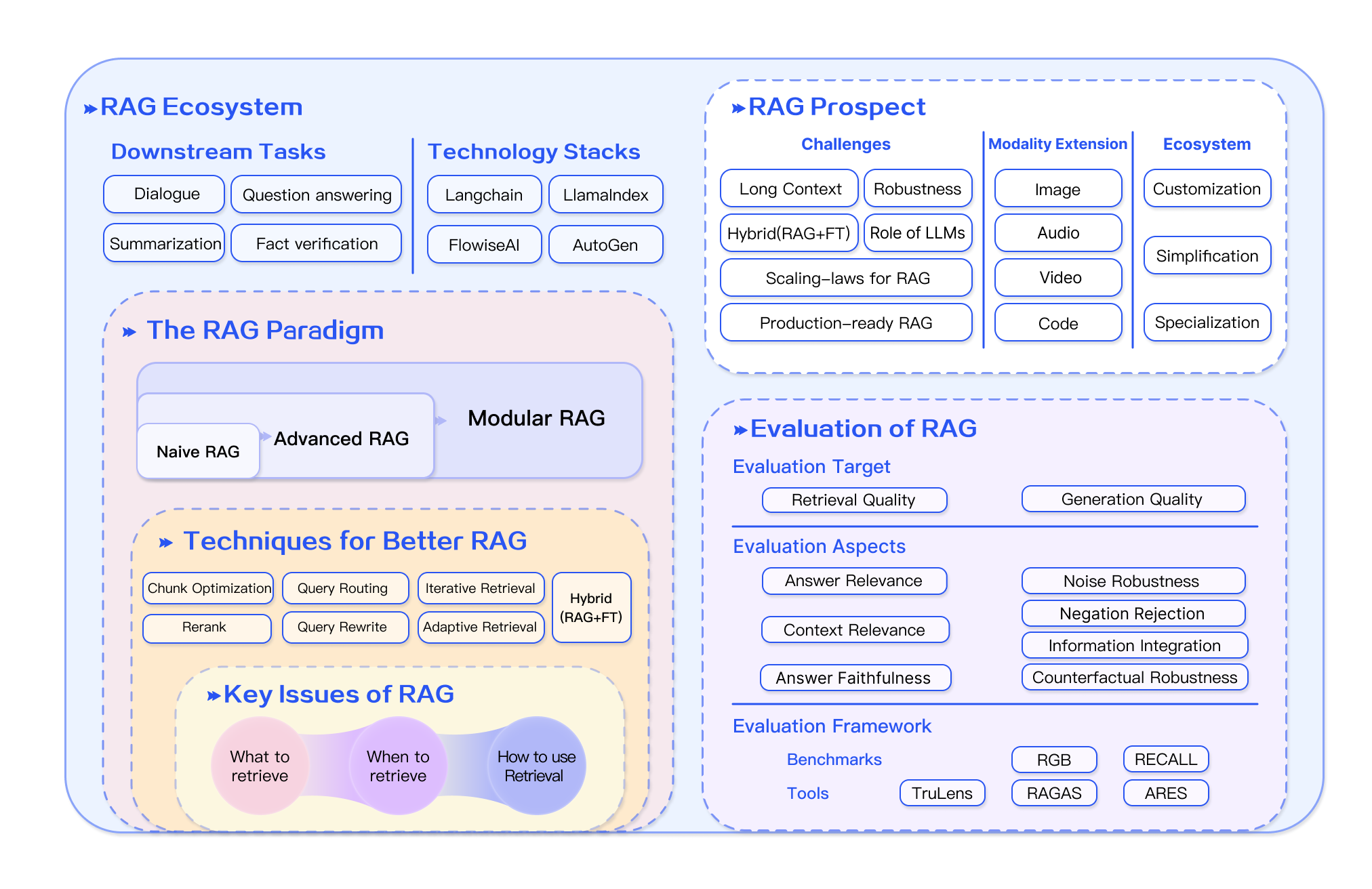
Source: Survey on RAG (Gao et al., 2023)
The auth layer translates user identity into metadata filter conditions. This mapping is application-specific but critical — it's the enforcement point for access control, not the LLM prompt.
Step-by-Step Flow
Step 1: Define your metadata schema. List all filterable attributes before indexing. Minimum: tenant_id, doc_type, status, created_at. Add: access_level, department, language, version, source_url.
Step 2: Extract metadata during ingestion. Parse document properties, file paths, database columns, and frontmatter into structured metadata. Attach to every chunk — inconsistent metadata creates invisible or leaky vectors.
Step 3: Index with metadata. Upsert vectors with metadata payload. Create index structures for frequently filtered fields. Plan for schema evolution with versioned field names.
Step 4: Map user context to filters. At query time, translate the authenticated user's permissions into metadata filter conditions. Never accept tenant_id from user input.
Step 5: Apply filters in every query. No exceptions. Even admin queries should be scoped unless explicitly searching across tenants with audit logging. When using query transformation, apply the same filter envelope to every transformed query — LLM-generated rewrites must not replace structured ACL or version filters.
Step 6: Validate with access control tests. Include cross-tenant query attempts in CI. Verify zero results leak across boundaries for every role.
Step 7: Monitor filter selectivity. Alert when searchable pool drops below k documents — overly restrictive filters return empty results.
Real Production Example
A multi-tenant knowledge base with role-based access on Qdrant:
from dataclasses import dataclass
from enum import Enum
from typing import Optional

class AccessLevel(Enum):
    PUBLIC = "public"
    EMPLOYEE = "employee"
    MANAGER = "manager"
    ADMIN = "admin"

@dataclass
class UserContext:
    user_id: str
    tenant_id: str
    access_level: AccessLevel
    departments: list[str]

ACCESS_HIERARCHY = {
    AccessLevel.PUBLIC: ["public"],
    AccessLevel.EMPLOYEE: ["public", "employee"],
    AccessLevel.MANAGER: ["public", "employee", "manager"],
    AccessLevel.ADMIN: ["public", "employee", "manager", "admin"],
}

class FilteredRetriever:
    def __init__(self, vector_store):
        self.store = vector_store

    def build_filter(self, user: UserContext, extra_filters: Optional[dict] = None) -> dict:
        allowed_levels = ACCESS_HIERARCHY[user.access_level]

        filter_conditions = {
            "tenant_id": user.tenant_id,
            "access_level": {"$in": allowed_levels},
            "status": "published",
        }

        if user.access_level != AccessLevel.ADMIN:
            filter_conditions["department"] = {"$in": user.departments + ["all"]}

        if extra_filters:
            filter_conditions.update(extra_filters)

        return filter_conditions

    def search(
        self,
        query: str,
        user: UserContext,
        doc_type: Optional[str] = None,
        date_from: Optional[str] = None,
        top_k: int = 20,
    ) -> list[dict]:
        extra = {}
        if doc_type:
            extra["doc_type"] = doc_type
        if date_from:
            extra["created_at"] = {"$gte": date_from}

        filters = self.build_filter(user, extra)

        results = self.store.hybrid_search(
            vector=self.store.embed(query),
            query_text=query,
            filter=filters,
            top_k=top_k,
        )

        return results

# Usage
user = UserContext(
    user_id="user_123",
    tenant_id="acme-corp",
    access_level=AccessLevel.EMPLOYEE,
    departments=["engineering", "product"],
)

retriever = FilteredRetriever(vector_store)
results = retriever.search(
    query="API rate limiting configuration",
    user=user,
    doc_type="documentation",
    date_from="2026-01-01",
)
Every query is scoped to the user's tenant, access level, and departments. The filter is applied at the database level on both vector and BM25 paths — the retriever never sees unauthorized documents.
Design Decisions
| Decision | Option A | Option B | When to choose |
|---|---|---|---|
| Filter timing | Pre-filter (native) | Post-filter | Always pre-filter when the database supports it |
| Schema design | Flat metadata | Nested objects | Flat for simple filters; nested when metadata is hierarchical |
| Access control | Metadata filter | Separate index per tenant | Metadata filter for shared index; separate index for strict isolation |
| Filter granularity | Per-chunk metadata | Per-document metadata | Per-chunk when sections have different permissions; per-document for simplicity |
| Dynamic filters | User-derived | Query-derived | User-derived for access control; query-derived for content type routing |
| Filter + rerank order | Filter → retrieve → rerank | Retrieve → rerank → filter | Always filter before reranking to avoid scoring unauthorized docs |
Comparisons
Pre-filter vs post-filter
| Dimension | Pre-filter | Post-filter |
|---|---|---|
| Result count | Consistent k (when pool allows) | Often < k or zero |
| Security | Unauthorized docs never scored | Reranker may see unauthorized text |
| Latency | Faster when filter is selective | Wastes ANN compute on excluded vectors |
| When to choose | Always in production | Never for access control |
Metadata filter vs separate index per tenant
| Dimension | Shared index + tenant filter | Index per tenant |
|---|---|---|
| Ops complexity | Lower | Higher (N indexes to manage) |
| Isolation strength | Good with tested filters | Strongest physical separation |
| Cost | Shared infrastructure | Per-tenant overhead |
| When to choose | Default SaaS multi-tenancy | Regulated industries, very large tenants |
Metadata filtering vs GraphRAG
| Dimension | Metadata filter | GraphRAG |
|---|---|---|
| Query type | Attribute constraints (tenant, date, type) | Multi-hop entity relationships |
| Implementation | Payload conditions on vector query | Graph traversal + summarization |
| When to choose | Access control, freshness, doc routing | "How does X relate to Y across systems?" |
Metadata filtering vs application-level filtering
| Dimension | Database pre-filter | Python post-filter |
|---|---|---|
| Scale | Efficient at millions of vectors | Fetches excess; doesn't scale |
| Security | Enforced at query | Leak-prone; reranker exposure |
| When to choose | Always | Prototyping only |
Decision tree: filter strategy
Decision tree: Metadata filter design
flowchart TD
    A[Multi-tenant RAG?] -->|Yes| B[tenant_id on every chunk]
    A -->|No| C[Role-based access?]
    B --> D[Pre-filter both hybrid paths]
    C -->|Yes| E[access_level + department filters]
    C -->|No| F[doc_type + date filters]
    E --> D
    F --> D
    D --> G{Filter too selective?}
    G -->|Yes| H[Alert + relax or broaden]
    G -->|No| I[Rerank filtered top-k]
    I --> J[CI cross-tenant tests]
Every multi-tenant query must include tenant_id—test with automated cross-tenant attempts in CI.
Head-to-head vector database filtering
Compare filter APIs in Best Vector Databases: Qdrant vs Pinecone · Qdrant vs Weaviate · Milvus vs Qdrant · pgvector vs Pinecone.
Common Mistakes
-
No tenant filtering. The most common security failure in multi-tenant RAG. Every query must include
tenant_idin the filter. Test with cross-tenant queries in CI. -
Post-filtering instead of pre-filtering. Post-filtering returns fewer than k results and wastes compute. Use native pre-filtered search.
-
Metadata schema designed after indexing. Adding a new filter field requires re-upserting all vectors. Plan the schema upfront.
-
Inconsistent metadata across chunks. If some chunks from a document lack
tenant_id, they become invisible or leak across tenants. -
Filtering in application code instead of the database. Fetching 100 results and filtering in Python is slower, leak-prone, and doesn't scale. Push filters to the vector DB.
-
Not filtering on the BM25 index. In hybrid search, both vector and keyword indexes must apply the same filters. Asymmetric filtering leaks documents through one path.
-
Hardcoded filters. User permissions change. Build filters dynamically from the authenticated user's context, not from static configuration.
-
Sending unauthorized docs to reranker. Even if you discard results after reranking, the reranker processes full document text — a data exposure. Filter before reranking.
Where It Breaks Down
Soft metadata — Not all document attributes are binary. "Relevance to user's project" or "similarity to user's past queries" can't be expressed as metadata filters. These require personalized retrieval or reranking.
Cross-document relationships — Filters work on individual chunk attributes, not relationships between documents. "Documents related to this project" requires GraphRAG or graph traversal, not metadata filtering.
Highly dynamic permissions — When permissions change frequently (real-time collaboration), metadata filters lag behind. Consider short TTL caches or permission-check after retrieval for high-security environments.
Filter selectivity too high — If filters reduce the searchable set to fewer than k documents, ANN search has nothing to rank. Monitor filter selectivity and alert when searchable pool drops below thresholds.
Schema evolution — Adding, renaming, or removing metadata fields requires re-indexing. Plan for schema migrations with dual-index periods.
When NOT to Use Metadata Filtering Alone
Metadata filtering constrains which documents are searchable — it does not solve which chunk is most relevant:
-
Relationship-heavy queries — "Which suppliers of our Tier-1 vendor had compliance violations?" needs GraphRAG, not attribute filters.
-
Personalized relevance — User taste, reading history, and implicit preferences require learning-to-rank or session context, not static metadata.
-
Single-tenant, single-version, public corpus — A public docs site with one version may need only
doc_typerouting; heavy RBAC filters add complexity without benefit. -
When metadata is unreliable — If ingestion can't consistently populate filter fields, fix metadata extraction before relying on filters for security.
-
Replacing proper auth — Metadata filters enforce retrieval scope; they don't replace API authentication, audit logging, or encryption at rest.
Prefer separate indexes per tenant when regulatory requirements mandate physical data separation. Prefer hybrid search + filters + rerank as the production default for multi-tenant RAG.
Running in Production
Best Practice
✅ Best Practices — Build filters from authenticated user context, apply identical filters on hybrid paths, test cross-tenant isolation in CI, and monitor filter selectivity and zero-result rate.
| Dimension | Consideration |
|---|---|
| Scaling | Metadata indexes add modest storage overhead depending on schema size. Filter evaluation is typically fast. Selective filters reduce ANN search space, often improving latency. |
| Latency | Pre-filtering often adds modest query overhead (illustrative: single-digit ms in many deployments). Post-filtering avoids that cost but risks incomplete results and security gaps. Always prefer pre-filtering for access control. Measure on your database and filter selectivity. |
| Cost | No additional API costs. Slightly higher storage for metadata indexes. Reduced LLM cost when filters improve precision (fewer irrelevant chunks sent to LLM). |
| Monitoring | Track filter selectivity (% of corpus matching typical filters), zero-result rate, and cross-tenant query attempts. Alert on unexpected filter patterns. |
| Evaluation | Include access control tests in your suite. Verify tenant isolation, permission boundaries, and date freshness. Test with multiple user roles. |
| Security | Metadata filters are your primary access control mechanism. Audit filter construction logic. Never expose raw filter parameters to users. Log filter conditions for compliance. |
Important
Metadata filtering is a security control, not just a performance optimization. Test tenant isolation with automated cross-tenant query attempts in CI.
Diagram: Filter lifecycle
stateDiagram-v2
    [*] --> Schema: define fields
    Schema --> Ingest: extract metadata
    Ingest --> Index: upsert with payload
    Index --> Query: build user filter
    Query --> Search: pre-filtered ANN
    Search --> Audit: log filter + results
    Schema --> Migrate: field change
    Migrate --> Ingest: re-upsert all
Schema changes require batch re-upsert—plan dual-schema operation during migration.
Related Guides
-
Foundations: RAG · Vector Databases · Embeddings · Chunking Strategies
-
Retrieval stack: Vector Search · Hybrid Search · ANN Indexes · Re-ranking · Vector Quantization
-
Quality & ops: Retrieval Evaluation · Late Interaction Retrieval
-
Vector stores: Qdrant · Weaviate · Pinecone · Milvus · pgvector — compare in Best Vector Databases.
-
Head-to-heads: Qdrant vs Pinecone · Qdrant vs Weaviate · Milvus vs Qdrant · pgvector vs Pinecone
If you understood this topic, read next:
Diagram: Recommended learning path
flowchart LR
    A[RAG] --> B[Vector DBs]
    B --> C[Vector Search]
    C --> D[Filters]
    D --> E[Hybrid]
    E --> F[Eval]
Prerequisites: Vector Databases · RAG
Next topics: Hybrid Search · ANN Indexes · Retrieval Evaluation
Estimated time: 45 min · Difficulty: Intermediate
Interview Questions
-
Why is pre-filtering safer than post-filtering?
- Expected: unauthorized vectors never enter scoring/reranking pipeline; post-filter may return < k results and expose text to reranker.
-
What metadata is mandatory for multi-tenant SaaS RAG?
- Expected:
tenant_idon every chunk; built from auth context, never user input; tested with cross-tenant CI queries.
- Expected:
-
How do filters interact with hybrid search?
- Expected: identical filter on both vector and BM25 paths before fusion; asymmetric filtering leaks documents (Hybrid Search).
-
When does high filter selectivity break retrieval?
- Expected: searchable pool < k documents → empty or incomplete results; monitor selectivity and zero-result rate.
-
Filter before or after reranking?
- Expected: always before — reranker processes full doc text; unauthorized docs must not reach it (Re-ranking).
-
What triggers metadata schema migration?
- Expected: new filter field, rename, or access model change → batch re-upsert all vectors; dual-schema period during migration.
-
Metadata filtering vs separate index per tenant?
- Expected: shared index + filter for most SaaS; separate index for strict regulatory isolation or very large tenants.
-
Name three production monitoring signals for filtered retrieval.
- Expected: filter selectivity, zero-result rate, cross-tenant leak test results, filter construction audit logs.
Key Takeaways
- Metadata filtering restricts vector search by document attributes — essential for security and precision.
- Pre-filter in the database, never post-filter in application code for access control.
- Plan your metadata schema before indexing — changes require re-upserting vectors.
- Every query in a multi-tenant system must include tenant_id filtering from auth context.
- Apply identical filters to both hybrid search paths before fusion.
- Compare filter capabilities in Best Vector Databases before choosing infrastructure.
FAQs
Why is metadata filtering important?
It enforces tenant isolation, access control, and content freshness. Without it, RAG systems leak data across tenants and return outdated or unauthorized documents.
Pre-filter or post-filter?
Always pre-filter when your vector database supports it. Pre-filtering is faster, returns consistent result counts, and never exposes unauthorized documents to the scoring pipeline.
What metadata fields should I include?
Minimum: tenant_id, doc_type, status, created_at. Add: access_level, department, language, version, source_url. Plan for fields you'll need to filter on, not just fields you have today.
How do I handle multi-tenant isolation?
Include tenant_id in every chunk's metadata. Build the filter from the authenticated user's tenant. Test with cross-tenant queries in CI. Consider separate collections for high-security tenants.
Can metadata filtering improve retrieval quality?
Yes. Filtering by doc_type (only search FAQs for support queries) and date (only current docs) reduces noise and improves precision without changing models.
How do I filter by date range?
Store created_at or updated_at as ISO date strings or Unix timestamps. Filter with range operators: {"created_at": {"$gte": "2026-01-01", "$lte": "2026-06-30"}}.
What happens when filters are too restrictive?
The search returns fewer than k results, or zero. Monitor zero-result rate. If filters are too aggressive, relax them or alert the user that their search scope is too narrow.
Should I create separate indexes per tenant?
For most SaaS applications, a shared index with tenant_id filtering is simpler and sufficient. Separate indexes for tenants with strict data isolation requirements or very large corpora.
How do I test metadata filtering?
Automated tests: query as Tenant A, verify zero results from Tenant B. Query as employee, verify no admin-only docs returned. Include in CI alongside retrieval evaluation tests.
Can users control filters?
Expose safe, user-facing filters (doc type, date range, department). Never expose tenant_id or access_level — these are derived from authentication, not user input.
How do filters interact with hybrid search?
Apply the same filter to both vector and BM25 search paths. Asymmetric filtering allows documents to leak through the unfiltered path.
Do filters affect reranking?
Filters should be applied before reranking. Never send unauthorized documents to the reranker — it processes full document text, which is a data exposure even if the result is later discarded.
How do I migrate metadata schema changes?
Update ingestion to populate new fields, run batch re-upsert for existing vectors, verify filter queries on a sample, deploy updated filter logic. Plan for dual-schema operation during migration.
Can I use SQL-style joins with metadata filters?
Vector databases don't support SQL joins. Resolve relational attributes (user permissions, project membership) in your application layer and pass them as filter conditions to the vector DB query. pgvector users can join in SQL before the vector query if metadata lives in Postgres.
References
- Qdrant Filtering Documentation
- Weaviate Filter Documentation
- Pinecone Metadata Filtering
- Milvus Scalar Filtering
- Elasticsearch Filter Context