
TL;DR
-
Agent architecture defines the control loop structure - how the LLM alternates between reasoning, planning, acting, and reflecting.
-
ReAct (Reason + Act) interleaves thought and tool calls step-by-step; best for exploratory tasks with unknown path length.
-
Plan-and-Execute separates planning from execution; the planner creates steps, an executor runs them, and a replanner adapts on failure.
-
Reflexion adds self-critique - after failure, the agent reflects on what went wrong and retries with an improved strategy.
-
Choose architecture based on task predictability - ReAct for open-ended exploration, Plan-and-Execute for structured multi-step workflows, Reflexion when quality and recovery matter.
Why This Matters
Two teams build the same agent - customer refund handler - and get wildly different results. Team A uses a raw ReAct loop; the agent takes 12 steps, calls the wrong tools twice, and eventually succeeds. Team B uses Plan-and-Execute with a replanner; the same task completes in 4 steps with auditable plan history.
The difference isn't the model. It's the architecture.
Architecture determines latency (how many LLM calls), cost (tokens per task), reliability (error recovery), and debuggability (can you see what the agent intended vs. what it did). Picking the wrong pattern is one of the most common reasons agent projects fail in production - not model capability, not prompt quality, but structural mismatch between task shape and control loop design.
The Problem Agent Architectures Solve
A naive agent loop - "call LLM, if tool call then execute, repeat" - works for simple tasks but breaks down when:
-
Tasks have predictable structure but ReAct rediscovers the plan every step, wasting tokens and introducing variance.
-
Early mistakes cascade because there's no explicit replanning - the agent keeps executing a flawed approach.
-
Quality requirements demand self-correction but the loop has no reflection phase.
-
Multiple specialists are needed but a single loop tries to do everything.
Architectural patterns encode proven control strategies. They're the design patterns of agent engineering - as fundamental as MVC for web apps or map-reduce for data processing.
How We Got Here
Agent control loops matured as papers and frameworks standardized how models think, act, and recover:
Diagram: Evolution of agent architecture patterns
flowchart LR
    A[CoT prompting] --> B[ReAct 2022]
    B --> C[Plan-and-Execute]
    C --> D[Reflexion / critique]
    D --> E[Tree search LATS]
    E --> F[Hierarchical + HITL]
Major components and how control or data moves between them.
| Era | What shipped | Gap |
|---|---|---|
| Chain-of-thought | Think-before-answer prompts | No tools / side effects |
| ReAct | Interleaved Thought → Action → Observation | Can wander; verbose |
| Plan-and-Execute | Planner + executor + replanner | Weak when tasks aren't planable |
| Reflexion | Critique memory + retry | Costly without good evaluators |
| LATS / search | Explore action trees | Expensive for most APIs |
| Production stacks | LangGraph graphs, HITL, durable execution | Architecture + ops, not prompts alone |
Canonical public sources: Yao et al., ReAct, Anthropic — Building effective agents, LangGraph Plan-and-Execute tutorials, and framework docs for AutoGen / CrewAI. Product agents (GitHub Copilot, Cursor) typically mix plan-like scaffolding with ReAct-style tool loops rather than a single academic pattern.
What Is an Agent Architecture?
An agent architecture is a template for organizing the agent's control flow: which nodes exist (planner, executor, critic), how state flows between them, when the LLM is invoked, and how errors trigger recovery.
The major patterns in production use today:
| Pattern | Core Idea | Best For |
|---|---|---|
| ReAct | Alternate reasoning traces with tool actions | Exploration, unknown step count |
| Plan-and-Execute | Plan all steps, then execute sequentially | Structured workflows, cost control |
| Reflexion | Act, evaluate, reflect, retry | Quality-critical tasks with retry budget |
| LATS | Tree search over possible action sequences | Complex planning, game-like tasks |
| Hierarchical | Manager agent delegates to worker agents | Large tasks requiring specialization |
These aren't mutually exclusive. Production systems often combine them - Plan-and-Execute with Reflexion on failed steps, or a hierarchical manager running ReAct workers.
How Agent Architectures Work
ReAct (Reason + Act)
Introduced by Yao et al. (2022), ReAct prompts the LLM to produce explicit reasoning before each action:
Thought: I need to find the customer's order history first.
Action: search_orders(customer_id="C-8842")
Observation: [Order O-991: $49.99, status=charged, Order O-880: $29.99, status=shipped]
Thought: Order O-991 shows a single charge. I should check payment records for duplicates.
Action: get_payment_events(order_id="O-991")
...
The LLM generates Thought → Action → (system executes) → Observation → Thought → ... until it produces a final answer.
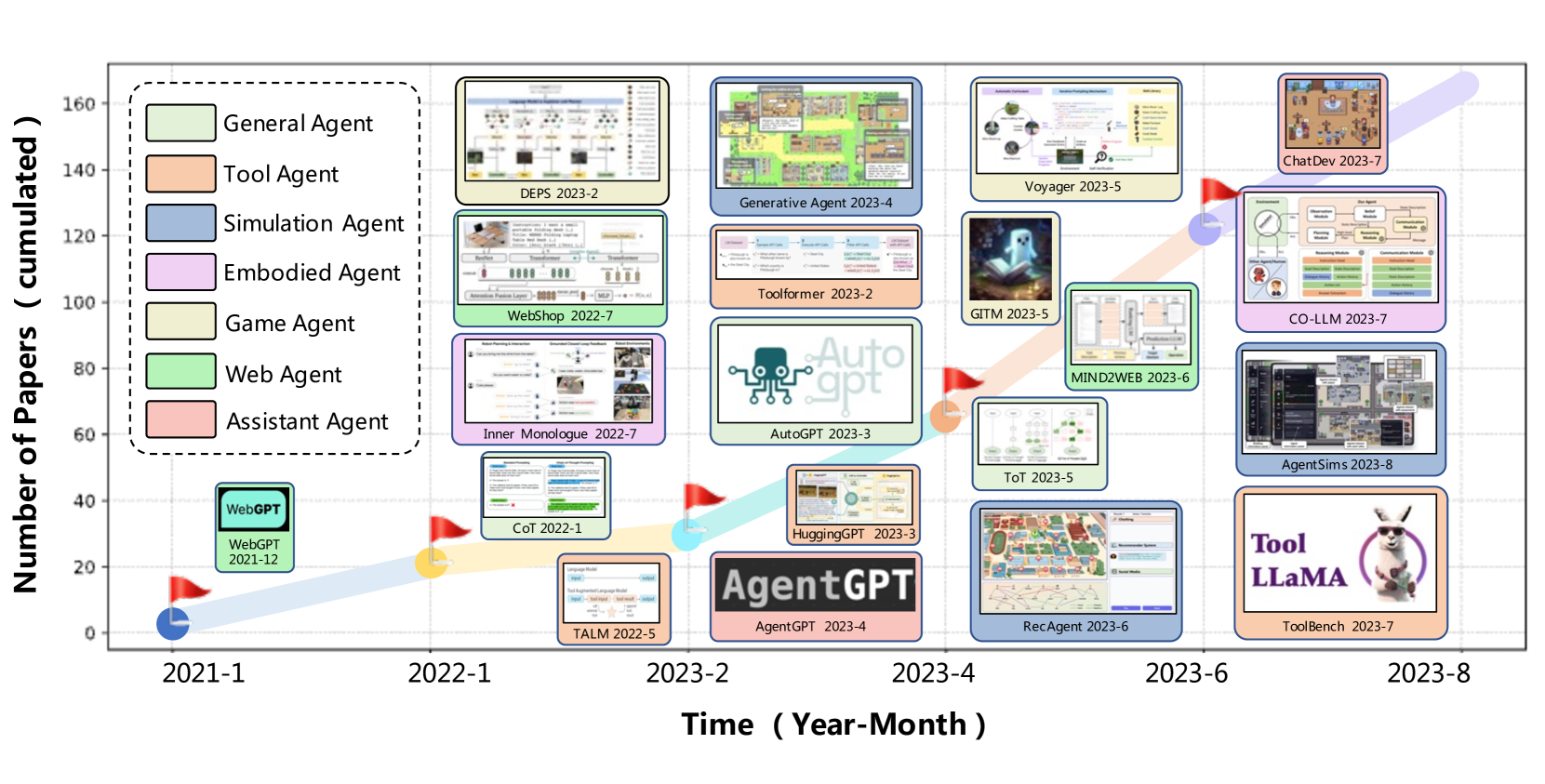
Figure: The ReAct paper's canonical loop - thoughts guide actions; observations feed the next thought.
Source: Yao et al., ReAct (arXiv:2210.03629)
Strengths: Flexible, handles unexpected observations, no separate planner needed.
Weaknesses: Verbose (reasoning tokens cost money), no global plan visibility, can wander.
Plan-and-Execute
Separates the cognitive modes:
-
Planner - Given goal and context, produce an ordered list of steps.
-
Executor - Execute one step at a time using tools, without re-planning each step.
-
Replanner - If a step fails or returns unexpected data, revise remaining steps.
Diagram: ReAct observe-reason-act loop
flowchart TD
    G[Goal] --> P[Planner]
    P --> E[Executor]
    E --> R{Step OK?}
    R -->|Yes, more steps| E
    R -->|Error / surprise| RP[Replanner]
    RP --> E
    R -->|Plan empty| S[Synthesize answer]
Strengths: Cheaper execution (small model for steps), auditable plan, predictable structure.
Weaknesses: Initial plan may be wrong; rigid for highly exploratory tasks.
Reflexion
Adds a reflection loop after failed attempts:
-
Execute task (via ReAct or Plan-and-Execute).
-
Evaluator scores the outcome (rule-based or LLM-as-judge).
-
If failed, Reflector generates critique: "I queried the wrong date range because I assumed fiscal year matches calendar year."
-
Critique appended to memory; retry with improved context.
Diagram: Plan-and-execute architecture
flowchart TD
    A[Attempt] --> Ev[Evaluator]
    Ev -->|Pass| Done[Final answer]
    Ev -->|Fail| Ref[Reflector]
    Ref --> Mem[Critique memory]
    Mem --> A
Strengths: Self-improving within a session, reduces repeated mistakes.
Weaknesses: Multiple full attempts multiply cost; evaluator quality is critical.
Architecture
A composable architecture stack in LangGraph:
Diagram: Production agent architecture
flowchart TB
    UI[Interface] --> Orch[Orchestrator]
    Orch --> Arch{Architecture}
    Arch --> ReAct[ReAct loop]
    Arch --> PnE[Plan / Execute / Replan]
    Arch --> Ref[Reflexion wrapper]
    Orch --> Tools[Tool registry]
    Orch --> Mem[Memory / checkpoints]
    Orch --> Guard[Guardrails + HITL]
    Orch --> Hier[Optional manager → workers]
The orchestrator owns control flow; tools, memory, guardrails, and observability surround the LLM policy.
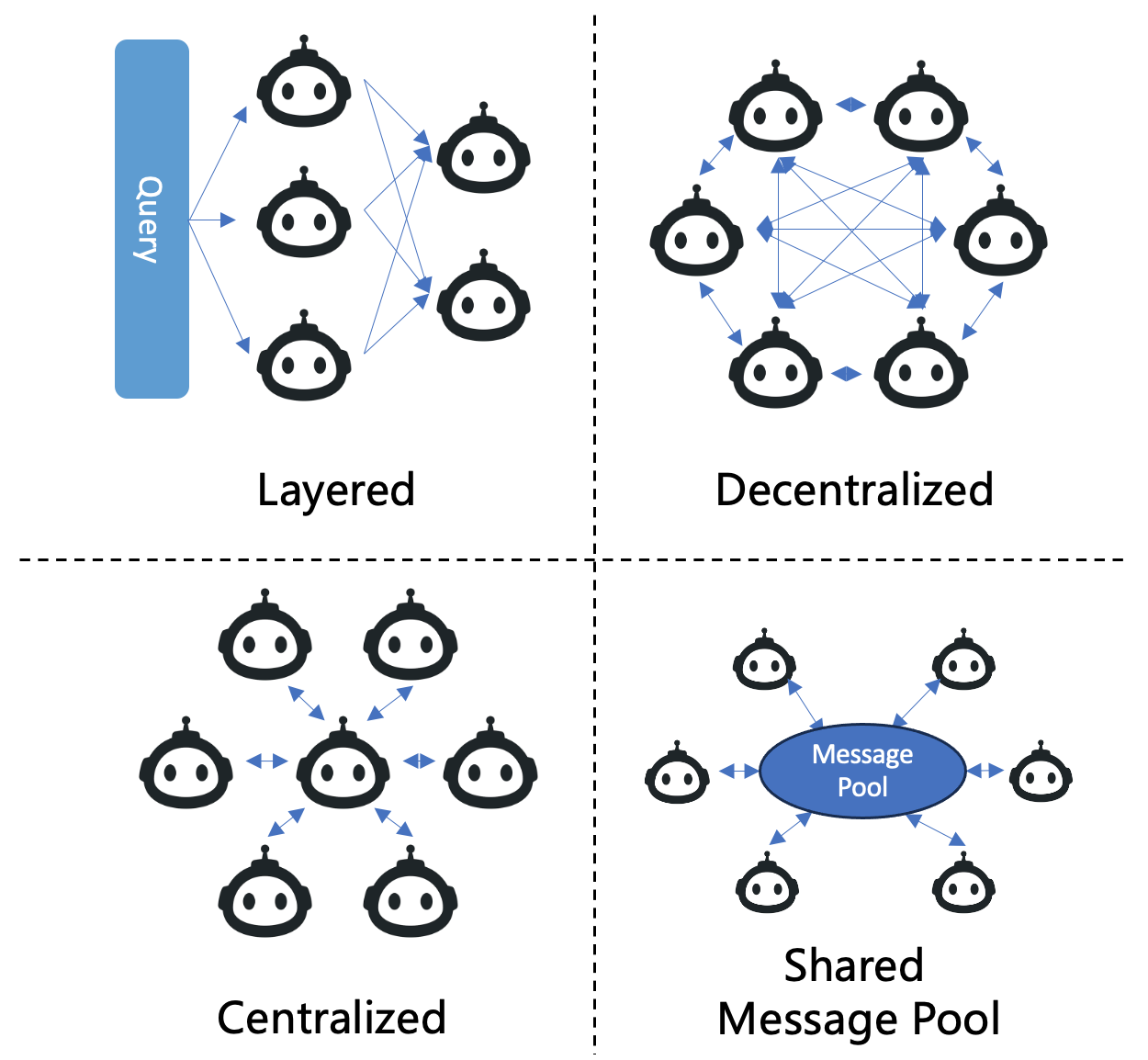
Figure: Hierarchical systems decompose roles - planner, executor, critic - each of which can host a different internal architecture.
Source: LLM-based Multi-Agents survey (arXiv:2402.01680)
Each worker can use a different internal architecture. The manager handles delegation, budget allocation, and final synthesis - see Multi-Agent Systems and Multi-Agent Handoffs.
Step-by-Step Flow
ReAct Flow
Diagram: State lifecycle
stateDiagram-v2
    [*] --> Reason
    Reason --> Act: tool call
    Reason --> Done: final answer
    Act --> Observe
    Observe --> Reason
    Reason --> [*]: max steps
    Done --> [*]
Valid states and transitions for this control-plane pattern.
- User submits goal.
- LLM generates Thought + Action (tool call).
- Runtime executes tool, returns Observation.
- Observation appended to message history.
- Repeat steps 2–4 until LLM generates Final Answer or step limit hit.
Plan-and-Execute Flow
-
User submits goal.
-
Planner LLM generates:
["Search customer orders", "Check payment duplicates", "Issue refund if confirmed", "Notify customer"]. -
Executor takes step 1, selects tool, executes, stores result. 4. Executor takes step 2 with accumulated context. 5. Step 2 fails - payment API returns "order not found".
-
Replanner revises:
["Re-search with alternate ID format", "Check payment duplicates", ...]. 7.
Execution continues until all steps complete.
- Synthesizer produces final user-facing response from step results.
Real Production Example
Plan-and-Execute with LangGraph for an incident triage agent:
from typing import List
from pydantic import BaseModel, Field
from langchain_openai import ChatOpenAI
from langgraph.graph import StateGraph, END
from typing_extensions import TypedDict

class Plan(BaseModel):
    steps: List[str] = Field(description="Ordered steps to complete the task")

class PlanExecuteState(TypedDict):
    input: str
    plan: List[str]
    past_steps: List[tuple]  # (step, result)
    response: str

planner = ChatOpenAI(model="gpt-4o", temperature=0)
executor_llm = ChatOpenAI(model="gpt-4o-mini", temperature=0)
replanner = ChatOpenAI(model="gpt-4o", temperature=0)

def plan_step(state: PlanExecuteState):
    plan = planner.with_structured_output(Plan).invoke([
        {"role": "system", "content": "Create a concise step plan for incident triage."},
        {"role": "user", "content": state["input"]},
    ])
    return {"plan": plan.steps}

def execute_step(state: PlanExecuteState):
    current_step = state["plan"][0]
    result = executor_llm.invoke([
        {"role": "system", "content": f"Execute this step using available tools: {TOOLS_DESCRIPTION}"},
        {"role": "user", "content": f"Task: {state['input']}\nStep: {current_step}\nPrior results: {state['past_steps']}"},
    ])
    # Tool execution handled by bound tools (omitted for brevity)
    return {
        "past_steps": state["past_steps"] + [(current_step, result.content)],
        "plan": state["plan"][1:],
    }

def replan_step(state: PlanExecuteState):
    if not state["plan"]:
        return {"response": synthesize(state)}
    last_step, last_result = state["past_steps"][-1]
    if "ERROR" in str(last_result):
        new_plan = replanner.with_structured_output(Plan).invoke([
            {"role": "user", "content": f"Step '{last_step}' failed: {last_result}. Remaining goal: {state['input']}. Past: {state['past_steps']}"},
        ])
        return {"plan": new_plan.steps}
    return {}

def should_end(state: PlanExecuteState) -> str:
    if state.get("response"):
        return "end"
    if not state["plan"]:
        return "respond"
    return "execute"

workflow = StateGraph(PlanExecuteState)
workflow.add_node("planner", plan_step)
workflow.add_node("execute", execute_step)
workflow.add_node("replan", replan_step)
workflow.set_entry_point("planner")
workflow.add_edge("planner", "execute")
workflow.add_conditional_edges("execute", should_end, {"execute": "replan", "respond": "respond", "end": END})
ReAct equivalent - simpler, single-node loop:
from langgraph.prebuilt import create_react_agent
from langchain_openai import ChatOpenAI

react_agent = create_react_agent(
    ChatOpenAI(model="gpt-4o", temperature=0),
    tools=[search_logs, query_metrics, page_oncall],
    state_modifier="You are an SRE agent. Think step by step before each action.",
)

result = react_agent.invoke({"messages": [("user", "API latency spiked 3x in us-east-1")]})
Use create_react_agent for prototypes and exploratory tools. Switch to explicit Plan-and-Execute when you need plan auditability and cost control on the execution phase.
Design Decisions
| Decision | Option A | Option B | When to choose |
|---|---|---|---|
| Architecture | ReAct | Plan-and-Execute | ReAct for unknown paths; Plan-and-Execute for repeatable workflows |
| Planner model | Capable (GPT-4o) | Same as executor | Always use a capable model for planning; cheap model for execution |
| Replanning trigger | Any tool error | Evaluator score threshold | Replan on errors AND when evaluator detects wrong results |
| Reflection | None | Reflexion loop | Add Reflexion when task success rate < 90% and retries are acceptable |
| Plan granularity | High-level goals | Tool-specific steps | High-level plans are more robust; tool-specific plans are more efficient |
| Visibility | Stream thoughts to user | Hide intermediate reasoning | Stream in dev tools; hide in customer-facing to reduce noise |
Comparisons
ReAct vs Plan-and-Execute vs Reflexion
| Dimension | ReAct | Plan-and-Execute | Reflexion |
|---|---|---|---|
| Control idea | Interleave thought + act | Plan then execute; replan on failure | Act → evaluate → critique → retry |
| Global plan | Implicit | Explicit, auditable | Optional (wraps other loops) |
| Cost shape | Reasoning tokens every step | Cheap executor; planner up front | Multiplies by retry count |
| Best for | Exploration, unknown path length | Structured multi-step workflows | Quality-critical recoverable failures |
| Weakness | Wanders on long horizons | Bad when unplanable | Useless without a strong evaluator |
| Start here? | Yes for prototypes | When step sequences stabilize | After baseline + measured retries |
Architecture vs workflow vs multi-agent
| Concern | Prefer |
|---|---|
| Fixed known steps | Workflow, not a heavy agent architecture |
| One agent, open path | ReAct or Plan-and-Execute |
| Specialists + routing | Multi-Agent Systems / handoffs |
| Irreversible tools | Any architecture + HITL |
Common Mistakes
-
Using ReAct for structured pipelines - If your task always follows the same 5 steps, Plan-and-Execute saves 40–60% of tokens and produces consistent traces.
-
No replanner in Plan-and-Execute - A static plan that can't adapt is just a brittle workflow with extra LLM calls.
-
Reflection without a good evaluator - Reflexion is only as good as the signal telling it something failed. "Did the user say thanks?" is not a reliable evaluator.
-
Over-engineering with LATS - Tree search over actions is expensive. Reserve for domains where exploration depth genuinely matters (optimization, game playing).
-
Mixing architectures mid-task without clear handoffs - If a ReAct worker hands off to a Plan-and-Execute worker, define explicit state boundaries or context gets lost.
-
Ignoring plan storage - Plans are valuable for debugging, compliance, and user transparency. Log them.
Where It Breaks Down
-
ReAct wanders on long tasks - Without a global plan, agents lose track of goal after 10+ steps. Mitigate with periodic re-planning or hierarchical delegation.
-
Plan-and-Execute assumes planability - Some tasks can't be planned upfront (real-time negotiation, interactive debugging). Use ReAct.
-
Reflexion retry storms - Without a retry cap, reflection loops burn budget. Limit to 2–3 attempts with escalating model capability.
-
Architecture overhead on simple tasks - A 1-tool lookup doesn't need Plan-and-Execute. Route by task complexity.
-
Cross-architecture eval inconsistency - Metrics tuned for ReAct (steps to success) may not apply to Plan-and-Execute (plan quality). Design eval per architecture.
Decision tree: which architecture?
Decision tree: Choosing an agent architecture
flowchart TD
    A[Need multi-step tool use?] -->|No| B[Chat / single call]
    A -->|Yes| C{Need a durable step list?}
    C -->|No| D[ReAct loop]
    C -->|Yes| E[Plan-and-Execute]
    D --> F{Multiple specialist roles?}
    E --> F
    F -->|Yes| G[Multi-agent / handoffs]
    F -->|No| H[Single agent + bounds]
    G --> I[Add HITL on writes]
    H --> I
Start with ReAct; add planning when step lists improve evals; add multi-agent only for clear role boundaries.
When NOT to Use Complex Architectures
Skip Plan-and-Execute, Reflexion, or LATS when:
- A single tool call or short ReAct loop suffices - lookup, classify, summarize.
- The path is fully known - encode a workflow instead of rediscovering steps each run.
- You lack an evaluator - Reflexion without a reliable pass/fail signal burns budget.
- Latency budgets are tight - tree search and multi-retry loops are rarely interactive-friendly.
- You cannot log plans and critiques - without observability, richer architectures become harder to debug than ReAct.
Prefer the simplest loop that clears your eval suite; add structure only when metrics justify it (Anthropic — Building effective agents).
Running in Production
Best Practice
✅ Best Practices - Start with ReAct, migrate to Plan-and-Execute when step sequences stabilize, add Reflexion only with a strong evaluator and retry cap, and log plans/critiques for every production run.
| Dimension | Consideration |
|---|---|
| Scaling | ReAct runs are unpredictable length - size worker pools for p99 step count. Plan-and-Execute has more predictable resource usage. |
| Latency | ReAct: 2–4 LLM calls per step. Plan-and-Execute: 1 planner call + 1 executor call per step. Reflexion multiplies by retry count. |
| Cost | Plan-and-Execute typically 30–50% cheaper than ReAct for structured tasks (cheap executor model). ReAct cheaper for tasks that finish in 2–3 steps. |
| Monitoring | Log: architecture type, plan content, steps executed, replans triggered, reflection critiques, termination reason. Compare metrics across architectures. |
| Evaluation | Measure per architecture: task success rate, average steps, plan adherence (did execution follow plan?), replan frequency, cost per success. |
| Security | ReAct's exploratory nature makes unexpected tool calls more likely. Plan-and-Execute constrains actions to planned steps - easier to audit. |
Important
Start with ReAct for prototyping. Migrate to Plan-and-Execute when you can enumerate typical step sequences and need cost/latency predictability. Add Reflexion only after baseline architecture is stable and eval shows recoverable failure modes.
Related Guides
-
LangGraph: ReAct (
create_react_agent), Plan-and-Execute tutorials, checkpointing, custom graphs - tool page. -
Frameworks: CrewAI, AutoGen, OpenAI Agents SDK - compare in Best AI Agent Frameworks.
-
Papers: ReAct · multi-agent survey arXiv:2402.01680.
-
Head-to-heads: LangGraph vs CrewAI · OpenAI Agents SDK vs LangGraph
-
AI Agents: Foundation concepts - control loops, tools, state - that architectures build upon.
-
Human-in-the-Loop: Gates on irreversible actions regardless of architecture.
-
Durable Execution: Checkpoint plans and mid-loop state across failures.
-
Multi-Agent Handoffs: Delegation between specialists with different architectures.
-
Agent Planning: Deep dive into decomposition, replanning, and goal verification.
-
Agent Memory: Reflection and replanning depend on memory to persist critiques and past attempts.
-
Multi-Agent Systems: Hierarchical architectures deploy multiple specialized agents.
-
Workflows vs Agents: Plan-and-Execute blurs the line - understand when architecture is still "agentic."
If you understood this topic, read next:
Diagram: Learning path for architecture choices
flowchart LR
    A[Architectures] --> B[HITL]
    B --> C[Durable]
    C --> D[Handoffs]
    D --> E[Multi-agent]
    E --> F[Planning]
Prerequisites: AI Agents · Tool Calling · Prompt Engineering
Next topics: Human-in-the-Loop · Durable Execution · Multi-Agent Handoffs
Estimated time: 55 min · Difficulty: Advanced
Key Takeaways
- Architecture is the control-flow pattern - as important as model choice for cost and reliability.
- ReAct explores; Plan-and-Execute structures; Reflexion recovers - pick by task shape, not hype.
- Use capable models for planning/reflection and cheaper models for execution steps.
- Start with ReAct; migrate when step sequences stabilize; add Reflexion only with a real evaluator.
- Log plans, steps, and critiques - they are your audit and debug surface.
- Production systems combine patterns: hierarchical managers, Plan-and-Execute workers, HITL on writes.
- Prefer the simplest loop that passes evals; compare frameworks in Best AI Agent Frameworks.
FAQs
Which architecture should I start with?
ReAct. It's the simplest to implement (create_react_agent in LangGraph), handles the widest range of tasks, and teaches you agent failure modes before adding complexity.
When should I switch from ReAct to Plan-and-Execute?
When you observe consistent step sequences across runs, need plan auditability, or ReAct costs/latency are too high due to verbose reasoning at every step.
Can I combine ReAct and Plan-and-Execute?
Yes. Common pattern: Plan-and-Execute for the overall workflow, with ReAct as the executor for individual steps that require exploration.
What is LATS and when should I use it?
Language Agent Tree Search - explores multiple action branches, evaluates them, and expands promising paths. Use for complex optimization or when the action space is large and exploration depth matters. Too expensive for most production APIs.
How does Reflexion differ from simple retry?
Simple retry repeats the same prompt. Reflexion adds explicit critique of the failed attempt to context, so the next attempt avoids the specific mistake.
Does architecture choice affect which model I use?
Yes. Use your most capable model for planning and reflection. Use a cheaper, faster model for execution steps in Plan-and-Execute. ReAct typically needs one capable model throughout.
How do I evaluate plan quality?
Compare generated plans against expert-written plans for the same tasks. Measure: step count, step ordering correctness, missing steps, unnecessary steps. Plan quality predicts execution success.
Is ReAct the same as chain-of-thought?
Related but different. Chain-of-thought is a prompting technique (think before answering). ReAct extends it with interleaved actions and observations - the "Act" part.
How many replans are too many?
More than 2 replans per task suggests the planner prompt, tools, or task decomposition needs fixing - not more replanning capacity.
Can architecture be selected dynamically?
Yes. A router classifies task complexity and routes to ReAct (simple/exploratory) or Plan-and-Execute (structured). This is a best practice in production agent platforms.
What's the difference between hierarchical agents and Plan-and-Execute?
Plan-and-Execute is a single agent with two modes (plan, execute). Hierarchical agents are separate agent instances - a manager with distinct worker agents, each potentially using different architectures.
How do I debug Plan-and-Execute failures?
Check three layers: (1) Was the initial plan wrong? (2) Did execution deviate from the plan? (3) Did the replanner produce a worse plan? Log each layer separately.
References
- ReAct: Synergizing Reasoning and Acting (Yao et al., 2022)
- Anthropic — Building effective agents
- LangGraph Documentation
- LLM-based Multi-Agents survey (arXiv:2402.01680)